ou can use Workday Connector to connect to Workday from Data Integration. You can read data from or write data to Workday.Workday is an on-demand Cloud-based Enterprise Resource Application that includes financial management and human capital management applications. Workday exposes the web service API, which the Secure Agent uses to perform integration tasks through the SOAP protocol.
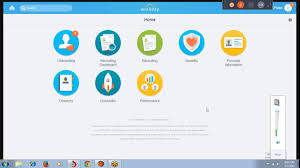
You can use Workday Connector in a Source transformation, Target transformation, or midstream in a Web Services transformation to connect to Workday from Data Integration and interact with the Workday service to perform operations on non-relational hierarchical data. For more info Workday Online Training
When you use Workday Connector midstream in a mapping, you first create a business service for the operation that you want to perform in Workday. You then associate the business service in a Web Services transformation midstream in a mapping to read from or write data to Workday.With Workday V2 connection, you can access all the services and operations supported for the SOAP-based web service version in Workday.
When you perform an operation from Data Integration, you can convert the hierarchical data structure for data retrieved from Workday to a relational format before you write to relational tables. You can also convert the relational format to hierarchical format before you write data from relational sources to Workday.
Example
You are a human resources administrator and you want to archive the details of employees who left the organization in the past month. You can find the employee in Workday based on the employee ID, retrieve worker data through the Get_Workers operation, and then write the details to an Oracle database target. With Workday Connector, you retrieve the worker data in an XML structure and then define a corresponding relational structure to write to the relational target.
Workday Connector task and object types
The following table lists the Workday transformation types that you can include in Data Integration tasks: Learn more skills from Workday Integration Training
| Task Type | Transformation Type |
|---|---|
| Synchronization | – |
| Mapping | Source, Target, and Midstream |
| PowerCenter | – |
Administration of Workday Connector
As a user, you can use Workday Connector after the organization administrator performs the following tasks:
- Installs the Secure Agent on a 64-bit machine.
- Ensures that the machine hosting the Secure Agent has a minimum memory size of 2048 MB.
- Deploys the latest version of the XToolkit API to the Secure Agent directory.
- Installs the Data Transformation package on the Secure Agent machine.
- Installs the UDT Notation Generator package on the Secure Agent machine.
- Provides the license to the Data Transformation package, UDT Notation Generator package, and the saas-xmetadataread package on the Secure Agent machine.
- Defines the security group in Workday that controls the required permissions for a user to perform an operation. For more information about defining security groups and permissions for a user in Workday, see the Workday documentation.
To get in-depth knowledge, enroll for a live free demo on Workday Training
 programming land